> ## Documentation Index
> Fetch the complete documentation index at: https://docs.bellabooking.com/llms.txt
> Use this file to discover all available pages before exploring further.
# Command Palette
> Instantly search, navigate, and ask questions from anywhere in the app with Cmd+K.
The command palette is your shortcut to everything in Bella Booking. Open it from any screen to search records, jump to any page, trigger quick actions, or ask Bella AI a question — all without leaving your keyboard.
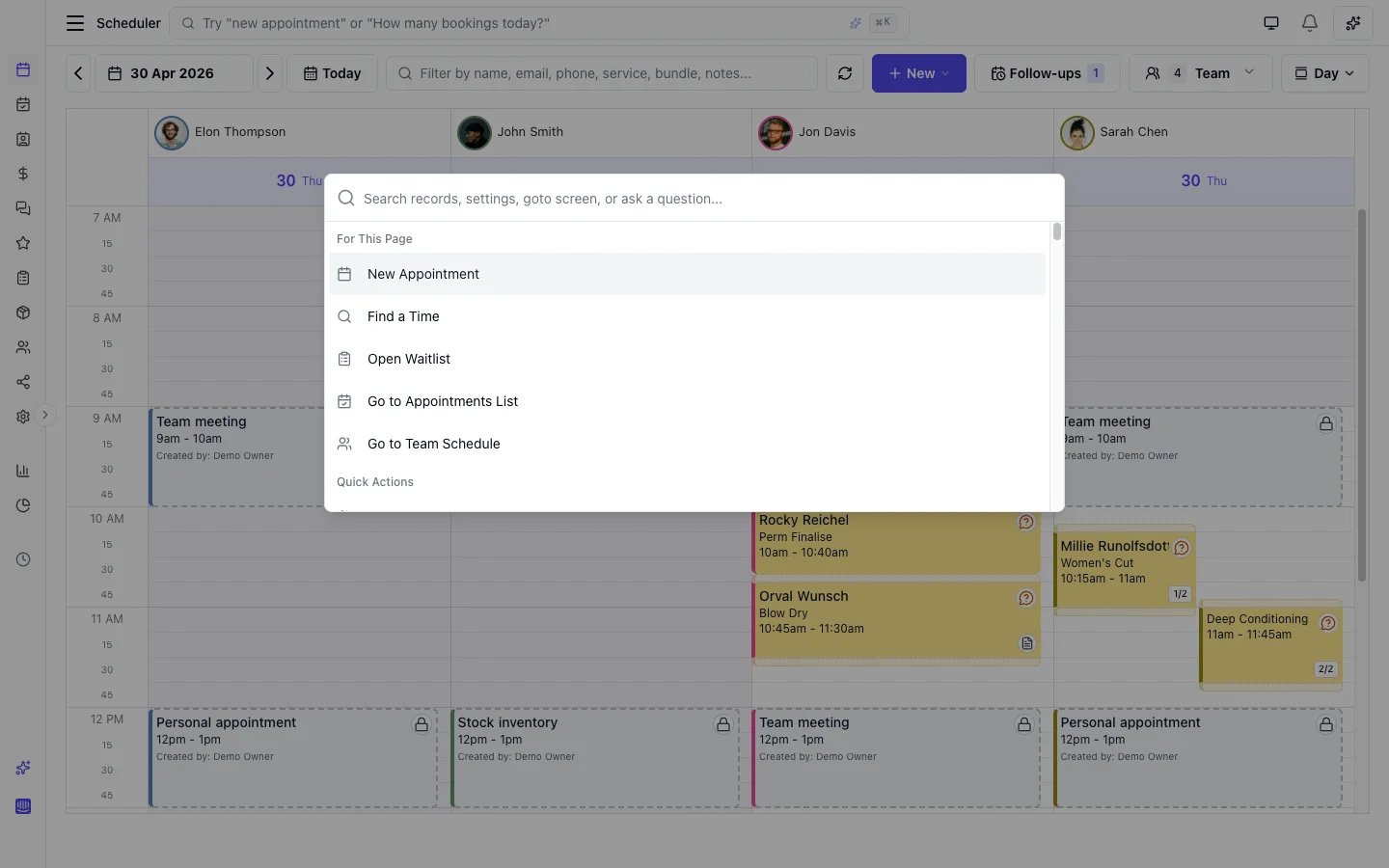 ## Opening the command palette
| Method | How |
| ------------ | --------------------------------------------------- |
| **Keyboard** | Press **Cmd+K** (Mac) or **Ctrl+K** (Windows/Linux) |
| **Click** | Click the search bar in the top header |
| **Mobile** | Tap the search icon in the header |
## What you can do
### Search records
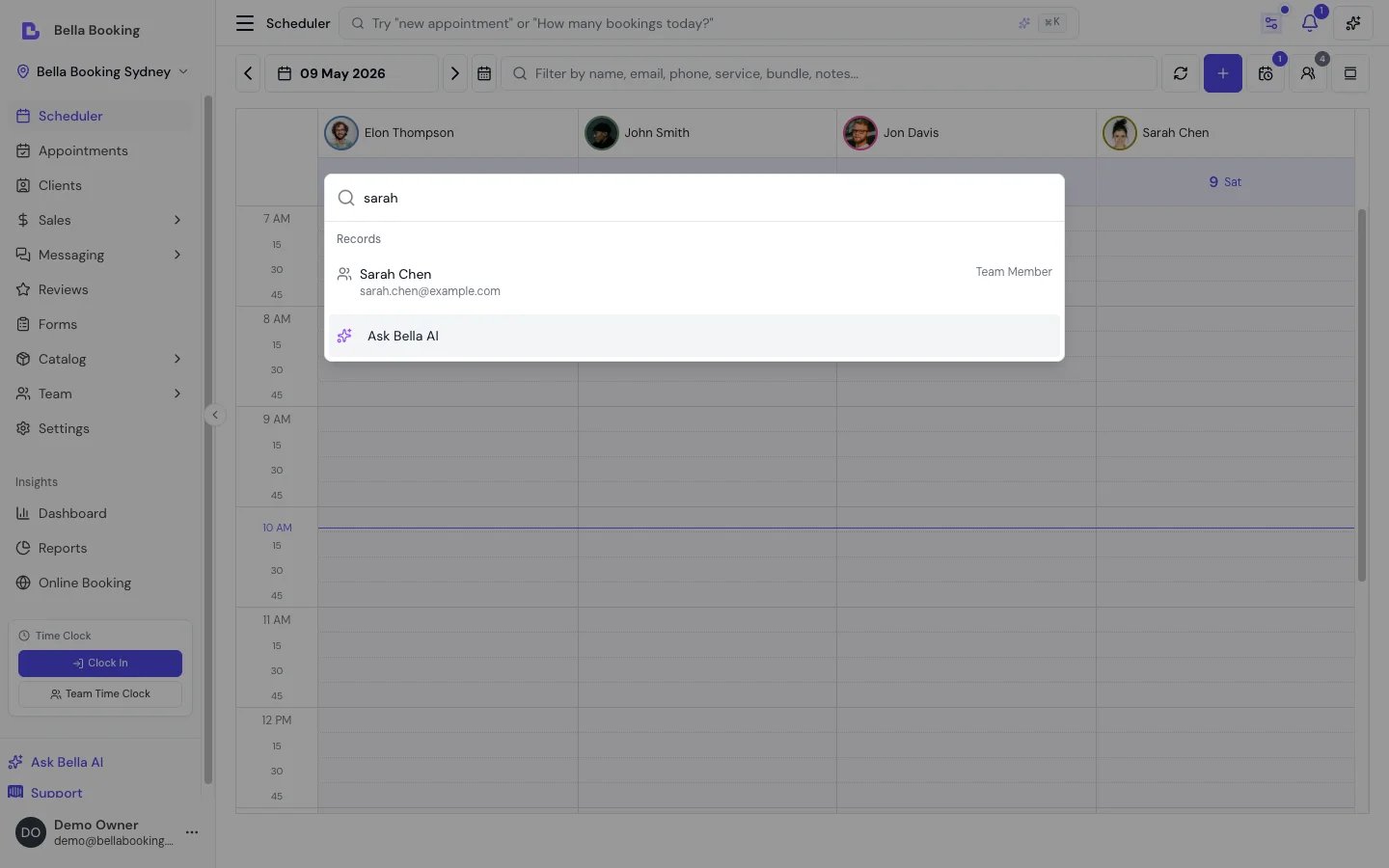
Type a name, email, phone number, or reference to search across:
* **Clients** — name, email, phone
* **Appointments** — client name, service, date
* **Services** — service name
* **Bundles** — bundle name
* **Products** — product name
* **Gift cards** — code or recipient
* **Team members** — team member name
Results appear in real time with links to the full record.
## Opening the command palette
| Method | How |
| ------------ | --------------------------------------------------- |
| **Keyboard** | Press **Cmd+K** (Mac) or **Ctrl+K** (Windows/Linux) |
| **Click** | Click the search bar in the top header |
| **Mobile** | Tap the search icon in the header |
## What you can do
### Search records
Type a name, email, phone number, or reference to search across:
* **Clients** — name, email, phone
* **Appointments** — client name, service, date
* **Services** — service name
* **Bundles** — bundle name
* **Products** — product name
* **Gift cards** — code or recipient
* **Team members** — team member name
Results appear in real time with links to the full record.
 ### Go to any screen
Navigate to any page, settings section, or report by typing its name. The command palette includes every screen in the app — over 130 destinations — with fuzzy search that tolerates typos.
**Examples:**
* Type "scheduling" to jump to Scheduling settings
* Type "rev" to find Revenue reports, Reviews, or Review moderation
* Type "loc" to go to Business settings, where locations are managed
Items are grouped into:
| Group | Examples |
| ----------------- | --------------------------------------------------------------------- |
| **Quick actions** | New appointment, Add client, New sale, New service, Send payment link |
| **Navigation** | Scheduler, Appointments, Dashboard, Clients, Transactions |
| **Catalogue** | Services, Add-ons, Pricing tiers, Products |
| **Team** | Team management, Team schedule, Timesheets |
| **Reports** | Revenue, Appointments, Cancellations, Team Utilisation |
| **Settings** | General, Locations, Scheduling, Online booking, Payments |
### Ask Bella AI
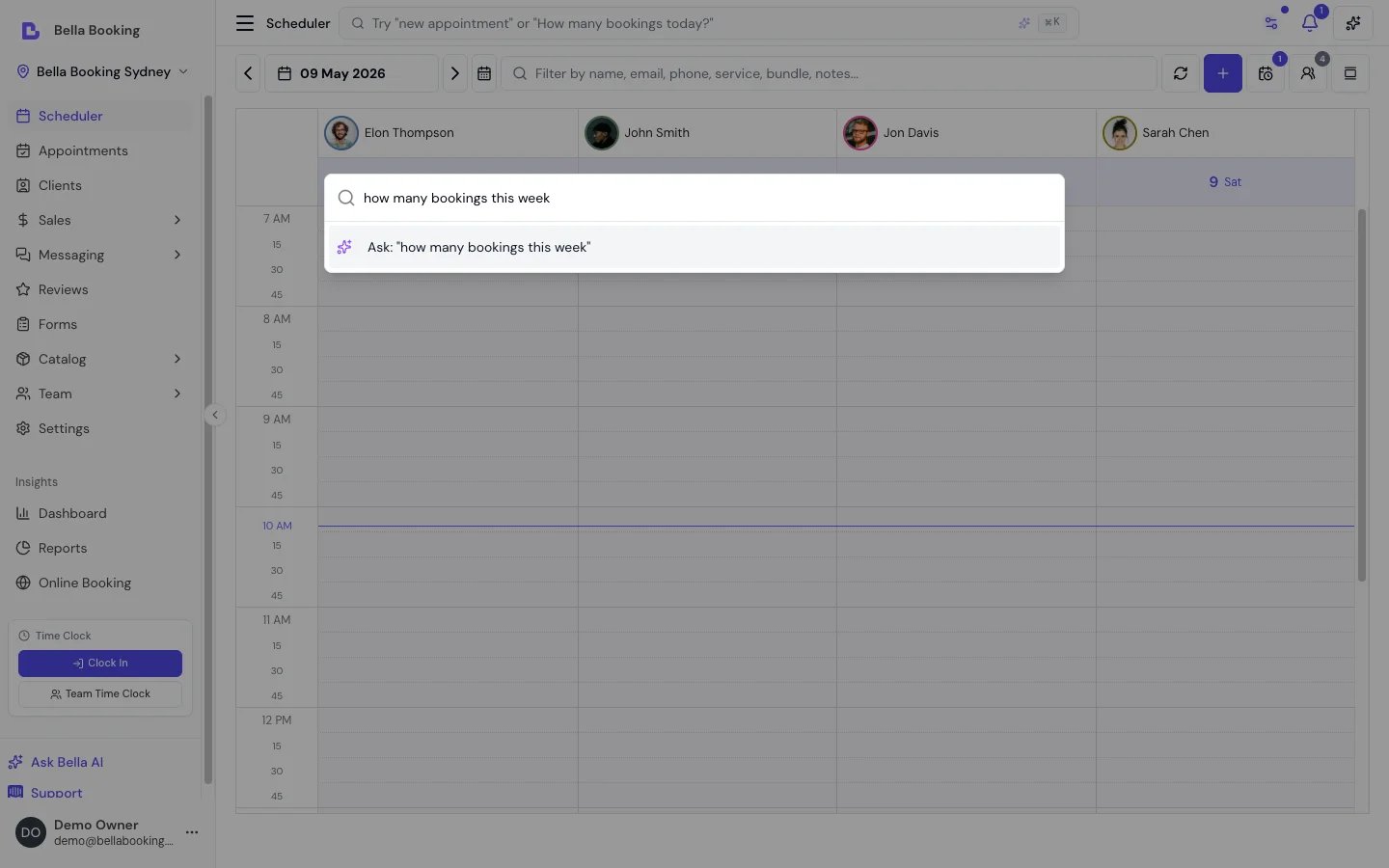
When your search looks like a question (starts with "how", "what", "who", etc., or contains a question mark), the command palette automatically shows a quick AI answer from Bella AI. You can then continue the conversation in the full Bella AI panel.
**Examples:**
* "Who's working tomorrow?"
* "How do I set up online booking?"
* "What was this week's revenue?"
### Go to any screen
Navigate to any page, settings section, or report by typing its name. The command palette includes every screen in the app — over 130 destinations — with fuzzy search that tolerates typos.
**Examples:**
* Type "scheduling" to jump to Scheduling settings
* Type "rev" to find Revenue reports, Reviews, or Review moderation
* Type "loc" to go to Business settings, where locations are managed
Items are grouped into:
| Group | Examples |
| ----------------- | --------------------------------------------------------------------- |
| **Quick actions** | New appointment, Add client, New sale, New service, Send payment link |
| **Navigation** | Scheduler, Appointments, Dashboard, Clients, Transactions |
| **Catalogue** | Services, Add-ons, Pricing tiers, Products |
| **Team** | Team management, Team schedule, Timesheets |
| **Reports** | Revenue, Appointments, Cancellations, Team Utilisation |
| **Settings** | General, Locations, Scheduling, Online booking, Payments |
### Ask Bella AI
When your search looks like a question (starts with "how", "what", "who", etc., or contains a question mark), the command palette automatically shows a quick AI answer from Bella AI. You can then continue the conversation in the full Bella AI panel.
**Examples:**
* "Who's working tomorrow?"
* "How do I set up online booking?"
* "What was this week's revenue?"
 AI quick answers, search, and navigation are all available on all plans.
### Recent items
When you open the command palette without typing, it shows your most recently visited items from this session — up to 5 — so you can quickly jump back.
## Keyboard navigation
Once the palette is open:
| Key | Action |
| ------------------- | --------------------------- |
| **Arrow Up / Down** | Move between results |
| **Enter** | Select the highlighted item |
| **Escape** | Close the palette |
| **Type** | Filter results instantly |
## Availability
| Feature | Solo | Starter | Professional |
| ------------------- | ---- | ------- | ------------ |
| Search records | Yes | Yes | Yes |
| Navigate to screens | Yes | Yes | Yes |
| Quick actions | Yes | Yes | Yes |
| AI quick answers | No | No | Yes |
AI quick answers, search, and navigation are all available on all plans.
### Recent items
When you open the command palette without typing, it shows your most recently visited items from this session — up to 5 — so you can quickly jump back.
## Keyboard navigation
Once the palette is open:
| Key | Action |
| ------------------- | --------------------------- |
| **Arrow Up / Down** | Move between results |
| **Enter** | Select the highlighted item |
| **Escape** | Close the palette |
| **Type** | Filter results instantly |
## Availability
| Feature | Solo | Starter | Professional |
| ------------------- | ---- | ------- | ------------ |
| Search records | Yes | Yes | Yes |
| Navigate to screens | Yes | Yes | Yes |
| Quick actions | Yes | Yes | Yes |
| AI quick answers | No | No | Yes |