

Introduction
Suppliers keeps a record of the vendors who supply your products, with the contact details you need when it is time to reorder.Key features
- Supplier Database: Centralised list of all your product vendors
- Contact Management: Store supplier names, contact persons, emails, and phone numbers
- Integration: Linked to Supplier orders for streamlined ordering
Managing suppliers
Viewing your supplier list
- Navigate to Suppliers in the sidebar
- View the table showing all suppliers with:
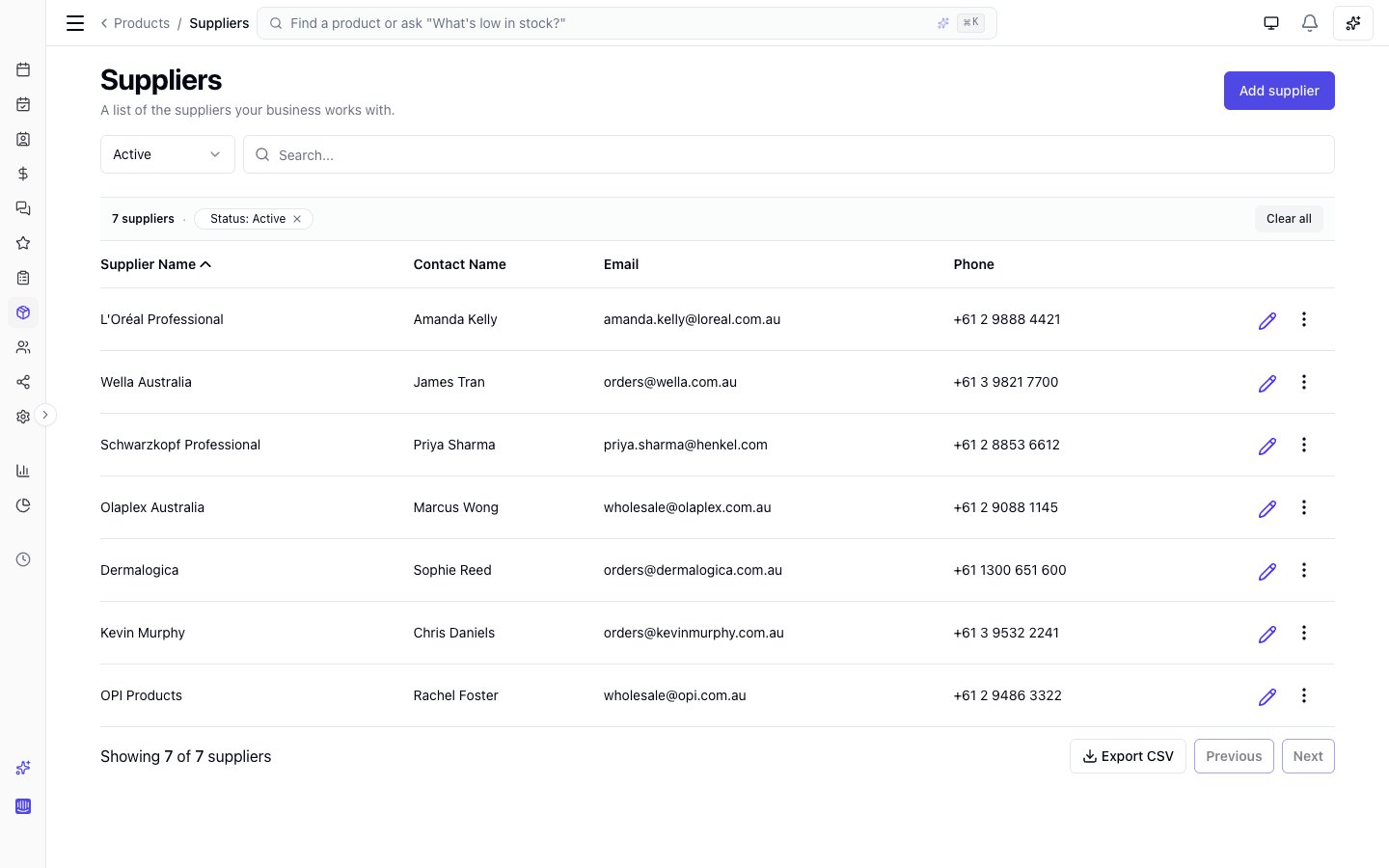
- Supplier name (business name)
- Contact name (person at the supplier)
- Phone
Sorting and filters
Search and filters choose which rows are listed. They do not change the order. To change the order, click a column heading that sorts. Unless the page says otherwise, the first click sorts text A to Z, and numbers and dates highest or newest first. Click the same heading again, or the heading the list already opens on, to reverse it. The arrow beside the heading shows the direction: up is A to Z, oldest first or lowest first, and down is Z to A, newest first or highest first. A heading that sorts by name ignores capital letters: “anna” and “Anna” sort together. Supplier name and Contact name sort. The list opens A to Z by supplier name, and Contact name sorts by the contact’s first name. Email and Phone do not sort. On a narrow screen Contact name, Email, and Phone are hidden: widen the window to sort by Contact name.Adding a new supplier
- Click the Add supplier button (top right)
- Fill in the supplier form:
- Supplier name (required): The business or company name
- Contact first name (Optional): First name of your sales rep or contact person
- Contact last name (Optional): Last name of your sales rep or contact person
- Email (Optional): Supplier’s email address
- Phone number (optional): Supplier’s contact phone
- Click Save to add the supplier
Editing a supplier
- Find the supplier in the list
- Click the Edit (pencil) icon
- Update any information on the Details tab
- Click Save to store changes
Products you order from a supplier
The supplier panel has a second tab, Products, listing every product you’ve ordered from that supplier. It’s built from your order history - there’s no assignment to maintain, so a product appears as soon as it’s on one of their stock orders. Each row shows:- Product name
- Last ordered - the date of the most recent stock order containing it
- Total ordered - the number of units across all their orders
- Last received unit cost - what you actually paid per unit the last time a delivery of it was received. Products on an order you haven’t received yet show Not received yet.
Archiving a supplier
Suppliers cannot be deleted directly - they must be archived first.- Click the three-dot menu next to the supplier
- Select Archive
- Confirm in the dialog
Consider archiving inactive suppliers rather than deleting them to preserve your order history and records.