

Introduction
The Business settings page is where you configure core business information that appears throughout Bella Booking and on your online booking page.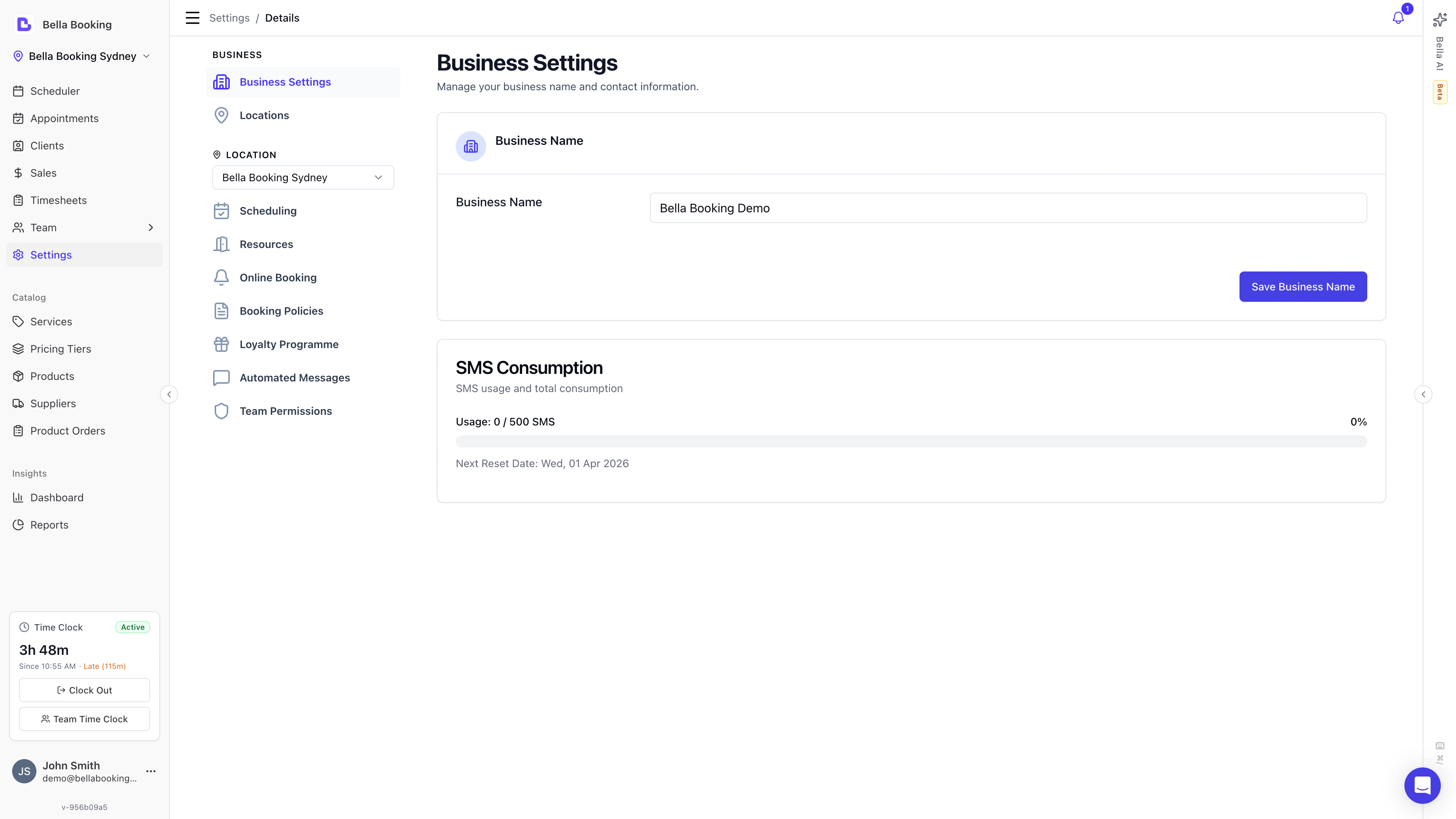
Business Information
General Section
Website:- Enter your business website URL (optional)
- Used to detect social links and brand colours, and to draft your About
- Shown on your online booking page and in search results
- The booking page shows a preview that grows on larger screens; clients tap Read more to expand the rest in place
- Write it yourself, apply a line detected from your website, or use Generate with AI to draft it from your site
- If you haven’t added a website yet, you’ll be asked to add one first
- Review the draft and save - nothing is applied automatically
- On a multi-location account, each location has its own About - edit it in that location’s panel
Contact details
Set the contact information your business runs on: Phone number:- Main business phone number
- Clients can call this number for enquiries or appointments
- Primary business email address (required)
- Used as the Reply-To on emails clients receive (receipts, confirmations) and as the destination for business notifications
- On multi-location accounts, each location has its own email - client replies go to that location’s address
Location
Set your business address for client directions and mapping. Whether the full address, an area only, or nothing at all is published on your booking page is set under Contact details in Online booking appearance. Address:- Street address (e.g., “123 Main Street”)
- City or town name
- State, province, or region
- ZIP or postal code
- Select your country from the dropdown
- Critical for accurate appointment scheduling
- Important for businesses in areas with daylight saving time
- Choose from available timezones for your selected country
- Select your local currency. It sets the symbol and currency for every price, sale and report
- Once you connect Stripe or Square the currency is locked, because your payment account was created in it and every payout arrives in it: the field is greyed out and the reason appears beneath it
- To change it you would need payments disconnected first; get in touch and we’ll help
- Bella’s own invoices to you are in AUD in Australia and USD everywhere else, whatever currency you charge your clients in
- Choose 12-hour (e.g. 2:30 PM) or 24-hour (e.g. 14:30)
- Applies everywhere a time is shown - the scheduler, appointment forms, emails and SMS to clients and team members, and your online booking page
- Defaults to 12-hour, so nothing changes unless you switch it
- Sets the first day of the week for the scheduler’s Week view, rosters, timesheets and every date picker
- Applies to your online booking page too - it orders the opening hours clients see and the date picker they pick from
- Sets the week your weekly business summary covers, and therefore the morning it lands: a Monday-start week is summarised on Monday, a Sunday-start week on Sunday
- Set for you when your business is created, based on your country - Sunday in the US and Canada, Saturday in much of the Middle East, Monday almost everywhere else
- Pick any day to change it; your choice stays put even if you later change country
- It’s also shown on Settings → Scheduling, since it’s the setting that shapes your calendar
Saving Changes
- Update any fields on the Business settings page
- Scroll to the bottom and click Save
- Changes take effect immediately throughout the system
SMS Consumption
At the bottom of the Business settings page, you’ll see an SMS Consumption widget that tracks:- Total SMS messages sent
- SMS usage for the current month’s allowance
- Remaining SMS credits
Danger Zone (Owner Only)
The Danger zone section is only visible to the account owner. It contains irreversible actions. To access it, scroll to the bottom of Business settings and expand the Danger zone section.Transfer Ownership
Transfer account ownership to another admin team member. After transferring:- You become a regular admin and lose access to billing, payment settings, and SMS credit purchases
- The new owner gains full control over the account
- This action cannot be undone
Delete Account
Request permanent deletion of your account and all associated data. This action cannot be undone. How account deletion works depends on your subscription status:- Trial users (no active subscription): Go to Settings → Business settings → Danger zone → Request account deletion. Select a reason, then submit the request. The Bella Booking team will process the deletion.
- Subscribed users (active subscription): You must first cancel your subscription from Settings → Billing → Cancel subscription. Once your subscription is cancelled, you can then request account deletion from Settings → Business settings → Danger zone.
- Go to Settings → Business settings
- Scroll down and expand Danger zone
- Click Request account deletion
- Select a reason for leaving
- Provide additional details if prompted
- Click Submit - this opens a chat with the Bella Booking team to process your request