

Introduction
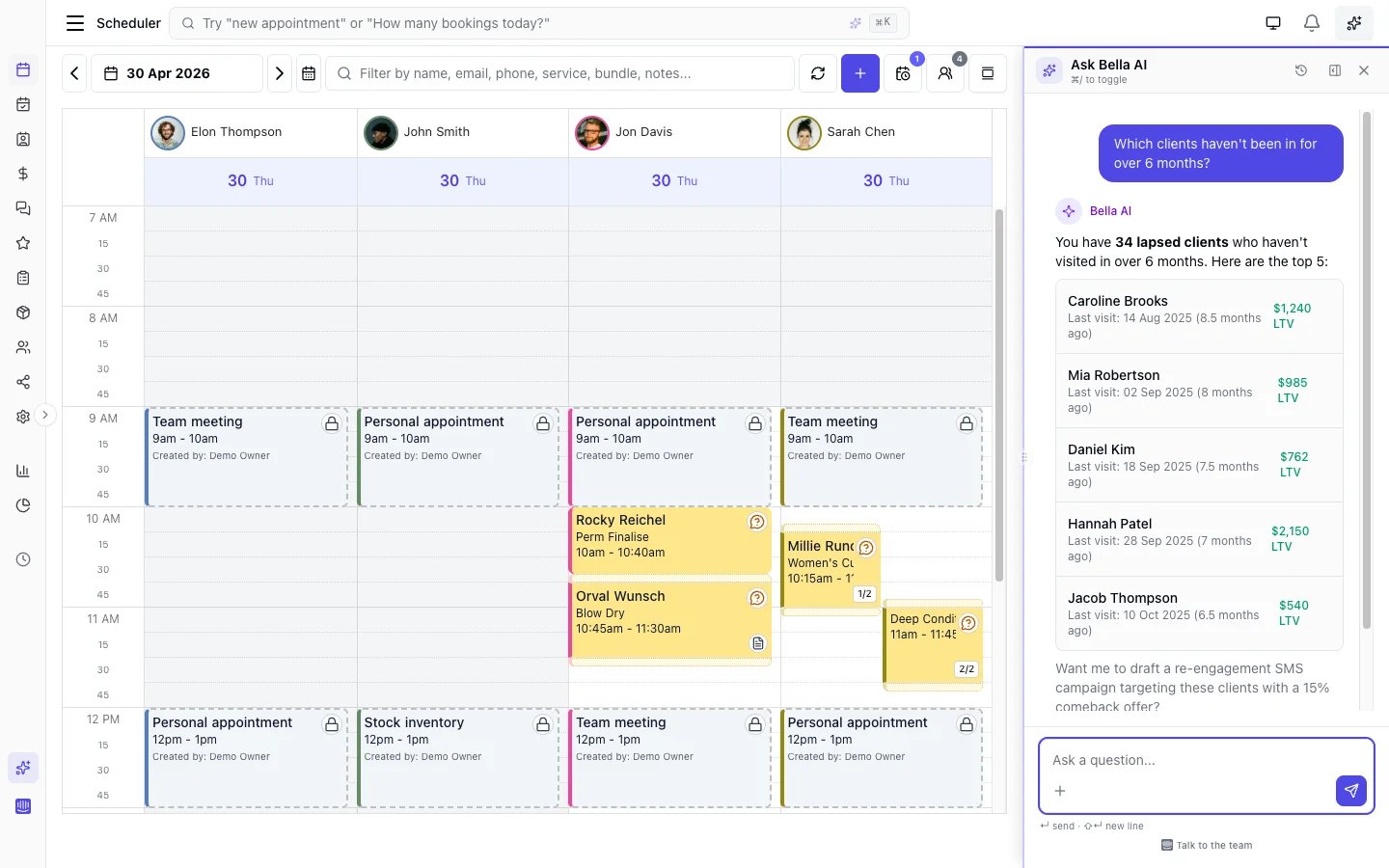
Bella AI is an intelligent assistant built into your Bella Booking dashboard. Ask questions in natural language about your appointments, clients, team schedules, sales, and more - and get instant, accurate answers drawn from your live business data. Bella AI is available on all plans.What you can ask
Bella AI can answer questions across your entire business:Appointments
- “What appointments do I have today?”
- “Show me tomorrow’s schedule for Sarah”
- “Are there any unconfirmed appointments this week?”
- “How many no-shows did we have this month?”
Clients
- “Who are our top clients by total spend?”
- “Show me the appointment history for Jane Smith”
- “Which clients have the most cancellations?”
- “When was this client’s last visit?”
Team
- “Who’s working today?”
- “What’s each team member’s utilisation this week?”
- “Does Sarah have availability on Friday?”
- “Who provides which services?”
Sales & reports
- “What was today’s revenue?”
- “Which services generate the most revenue?”
- “Show me a sales breakdown by team member”
- “How many appointments did we complete this month?”
- “Show me a chart of my revenue over the last 30 days”
- “Chart my booked income for the next 6 weeks”
Settings & how-to
- “How do I set up online booking?”
- “How do I add a new team member?”
- “What are our cancellation policies?”
How to use Bella AI
Opening the assistant
- Desktop: Click the Bella AI icon in the sidebar, or press Cmd+/ (Mac) or Ctrl+/ (Windows/Linux)
- Mobile: Tap the Bella AI icon to open a full-screen assistant view
Asking questions
- Type your question in the text field
- Or click one of the suggested questions - these change based on the page you are viewing
- Press Enter or click Send
Sending a screenshot or file
Sometimes it’s quicker to show the assistant than describe it. Select + to add photos or files, drag a file onto the chat, or simply paste a screenshot you’ve copied. Take screenshot captures the screen behind the panel for you, so you don’t have to leave the page. The assistant reads what you send: JPEG, PNG, GIF and WebP images, PDFs, and plain text or CSV files, up to 10 MB each (large photos are shrunk automatically). If a file is a format or size it can’t open, it tells you rather than guessing at the contents.Files you attach are used to answer that question and are not stored - reopening the
conversation later shows the file’s name, not the file. If you need the Bella team to
work from a document (a consent form to rebuild, for example), send it in the support
chat or email it to hello@bellabooking.com.
Reading responses
- Responses stream in real time so you see results immediately
- Tables, lists, and formatted data render as the response arrives
- Links to pages in the app (clients, appointments, scheduler) are clickable
- You can see which data sources the assistant queried (expandable in the response)
Managing conversations
- Your conversation history persists during your session
- Click Clear to start a fresh conversation
- Closing and reopening the panel preserves your history
Contextual suggestions
Bella AI shows different suggested questions depending on which page you are viewing:What Bella AI can and cannot do
Can do
- Answer questions about your appointments, clients, team, services, products, and sales
- Query real-time data from your business
- Display results as tables, lists, and formatted text
- Draw charts - line, bar, area, or pie - for trends, comparisons, and shares, so you can see the shape of your numbers, not just read them
- Search Bella Booking documentation to answer how-to questions
- Read a screenshot, photo, PDF or CSV you attach to your question
- Understand your business timezone and display times accordingly
Feedback & ratings
After any response, you can rate the answer using the thumbs up/down buttons. This feedback helps improve Bella AI’s accuracy over time. You can also flag responses that contain incorrect information.AI business digest
Bella AI powers the weekly AI Business Digest - an automated performance summary delivered to your email and surfaced on the dashboard. The digest analyses your appointments, sales, and client trends, then produces a personalised narrative with highlights, concerns, and actionable insights.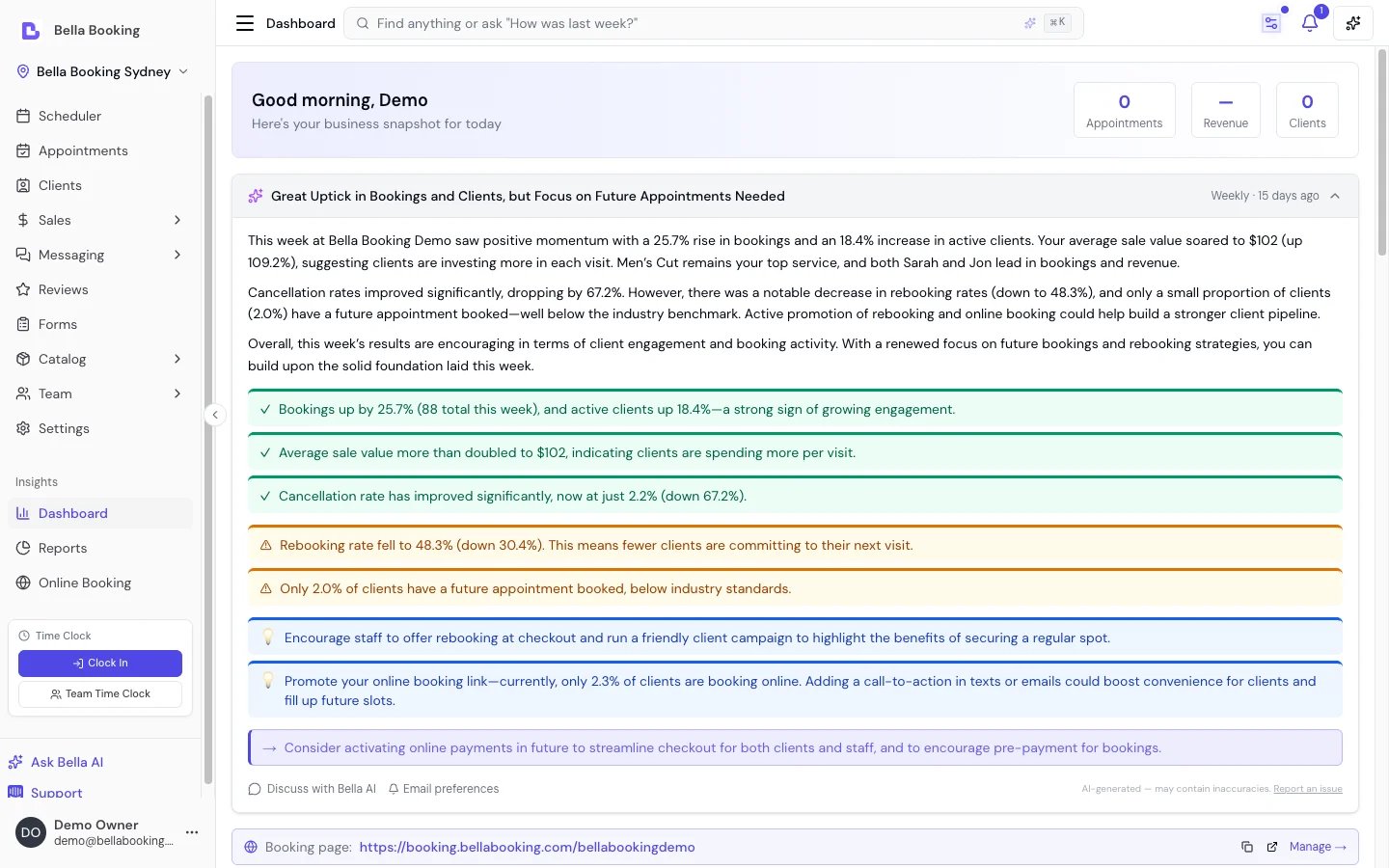
Cannot do (yet)
- Create, modify, or delete appointments, clients, or other records - Bella AI is read-only
- Access data from other businesses or external systems
- Process payments or manage billing