

Introduction
The Membership Settings page lets you enable or disable the memberships feature for your location. When enabled, you can create membership plans and clients can subscribe through the dashboard or online booking portal.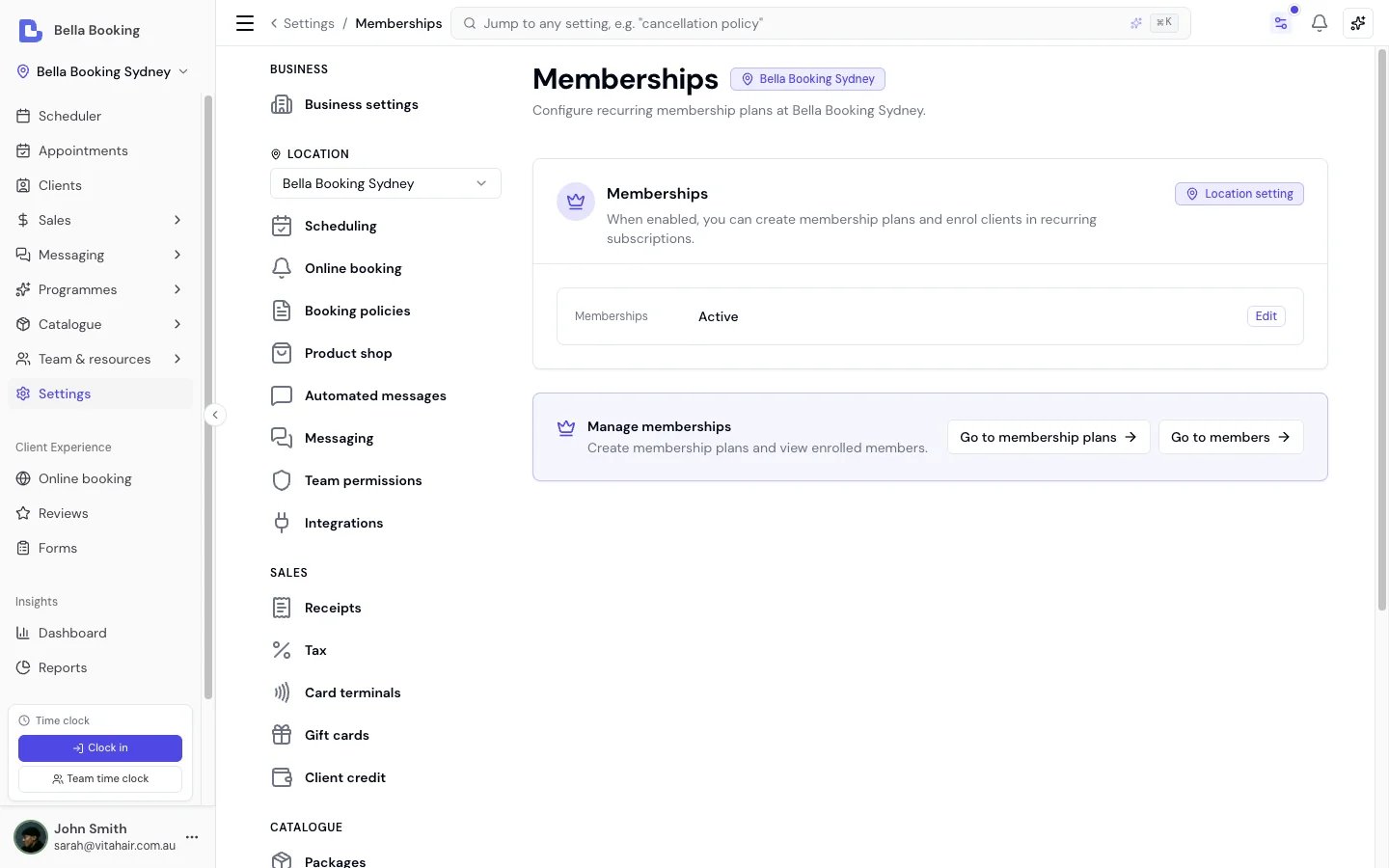
Accessing Membership Settings
- Go to Settings in the sidebar
- Click Memberships (under the location settings group)
Enabling Memberships
- Toggle Memberships to Active
- Once enabled, Members appears in the Catalogue sidebar next to Memberships (Memberships is already there when your plan includes it). Use Memberships to create plans, and Members to see who is enrolled. The Manage memberships card on this page has the same two shortcuts.
- No new plans can be created
- No new clients can enrol
- Existing active memberships continue to be billed by Stripe. You’ll see a message directing you to the Members list to manage existing subscriptions
Stripe Requirement
Memberships require Stripe payments to be configured for your location. Online purchases use Stripe Checkout, and all recurring billing is handled through Stripe Subscriptions. If Stripe is not yet configured, set it up in Settings > Payments before enabling memberships.Managing members
Click Members in the Catalogue sidebar (next to Memberships), or Go to members on this settings page, to see everyone on a plan and their billing status. Selecting a member opens their membership, where you can:- Retry a failed payment. If a renewal payment fails, the membership shows as Past due. For members paying by saved card, Retry payment charges the card again straight away; when it succeeds the membership returns to Active and the client is notified that their membership is active again. For members you collect from manually, use Record payment at the till instead.
- Update the card on file. Send the client a secure link to add a new card - useful when a card has expired or been declined - so future renewals go through.
- Change plan. Move a member to a different plan on the same billing cycle. Their next payment is adjusted to the new price. Session counters reset to the new plan’s full allowance for the rest of the current period; unused sessions from the old plan are not kept. The new plan’s other benefits apply for the rest of the current period, and the client is notified of the change. A membership that is already set to end doesn’t offer this - use Undo cancellation first, then change the plan.
- Undo a scheduled cancellation. If a membership is set to end at the end of the period, Undo cancellation keeps it renewing - or Cancel now ends it immediately instead of waiting.
Purchases that were never paid
When a client starts buying a membership online and leaves the payment page without paying, the membership waits as Pending. Pending purchases never appear in the Members list. On the client’s My membership page it shows as Pending payment, with Continue to payment to finish it.- The client can start again straight away. When they buy the plan again, Bella closes the payment page they left and opens a new one.
- Bella releases it on its own. This happens two to three hours after the client started, and frees the place it held on a plan with a capacity limit.
- You can clear it yourself. Open the client’s profile, go to the Memberships tab, open the membership and click Clear purchase. If the client did pay, Bella keeps the purchase, and the membership becomes active once Stripe confirms the payment.
Aligning the billing day
You can set a billing day on a plan so every member is charged on the same day - for example, every member on a weekly plan is billed each Wednesday. New members enrol onto that day automatically. For members already on the plan, use Align billing day to move each active member who pays by card to it: Bella shifts each member’s next payment to the chosen day without charging twice or losing time they’ve already paid for, and lets each client know the date of their next payment. A member with a change you scheduled in Stripe keeps their day and is counted as failed.Membership notifications
Configure the client messages for memberships under Automated messages. The available membership notifications are:- Membership activated - when a membership becomes active after the first payment
- Membership payment failed - when a renewal payment fails
- Membership cancelled - when a membership is cancelled or expires
- Membership reactivated - when a past-due membership becomes active again after a successful payment
- Membership billing day changed - when you move a member to a new billing day
- Membership plan changed - when you move a member to a different plan
Next Steps
- Create membership plans
- Configure automated messages for membership notifications
- Learn about online booking if you want clients to purchase memberships online